
Uma Musume Affinity (Compatibility) Calculator – Complete Guide & Usage Instructions
The Uma Musume Affinity (Compatibility) Calculator is a powerful, easy-to-use tool designed for players who want to optimize their team synergy and achieve the best possible performance in races or training scenarios. Whether you are a competitive player or a casual fan of Uma Musume Pretty Derby, understanding compatibility plays a significant role in building a well-balanced team that maximizes stats, legacy bonuses, and support efficiency.
This calculator helps you pick a Main Uma and fill multiple support slots—including legacy positions – to instantly evaluate how well your team works together. Featuring characters such as Tokai Teio, Special Week, Gold Ship, Oguri Cap, Daiwa Scarlet, and the popular request Winning Ticket, the tool is made to fit every style of training and gameplay preference.
Here you can try our other UMA Affinity Calculators
Uma Affinity Calculator – Unlock Your Perfect Training Strategy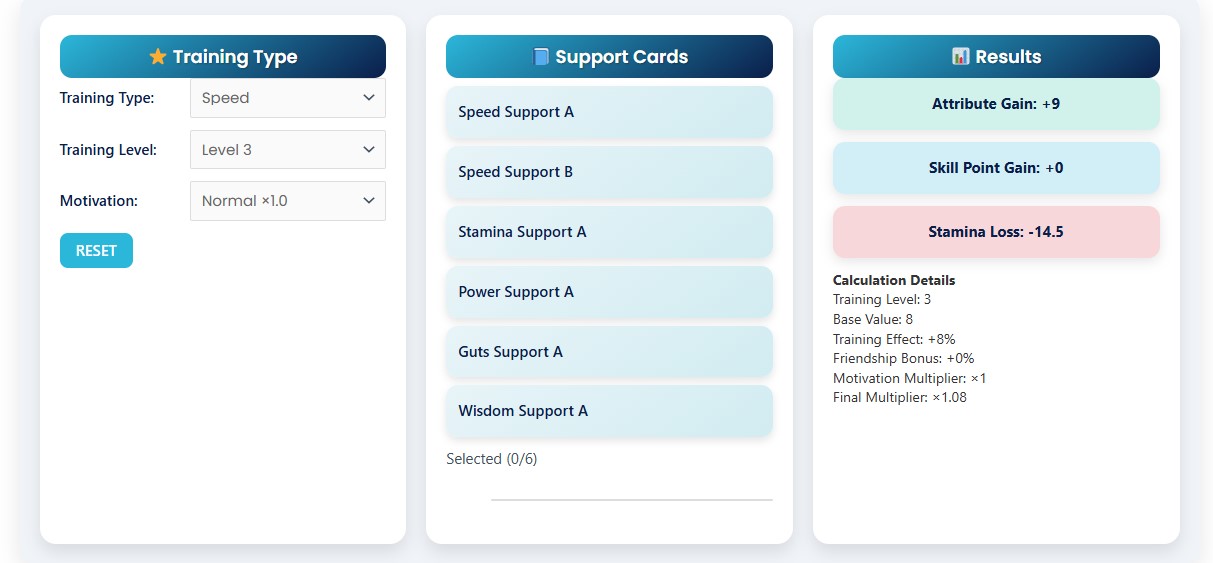
Uma Musume Affinity Calculator – Optimize Team Synergy
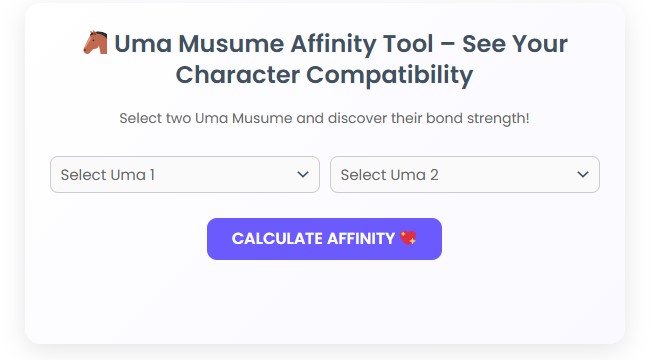
What Is the Uma Musume Compatibility System?
In Uma Musume, compatibility (also called affinity) determines how effectively a trainee interacts with her support members, heritage (legacy) sources, and partner characters during the growth process. High compatibility results in:
Better inherited skills and stat boosts
Greater skill evolution success
More consistent performance in training
Better race tendencies and stability
Stronger overall growth potential
However, manually figuring out which characters work best together can be time-consuming. This is where the Affinity Calculator becomes invaluable.
How the Affinity Calculator Works
The tool uses a simulation-friendly, user-interactive system that allows you to select characters and instantly evaluate synergy. Below is an overview of each functional element.
1. Select Your Main Character
Your Main Uma is the centrepiece of your training plan. Compatibility with support members will be calculated around her.
Click “Select Characters” or tap the Main Char slot to pick your primary racer or trainee.
2. Fill Support Slots (SL 1–1, SL 1–2, SL 2–1, SL 2–2)
These slots represent your main training supports or key partners.
Selecting different Uma Musume here will modify your total compatibility score.
The tool ensures:
Easy selection through a clean popup modal
Full list of characters with search functionality
Unique, distinct choices for better variety
3. Choose Legacy Characters
The calculator includes Legacy 1 and Legacy 2 slots.
Legacy influences inherited traits and overall training performance, so lower weight multipliers are applied to these slots (as in the tool’s formula), keeping them impactful but balanced.
4. Use the “Recommend” Button for Auto-Suggestions
Not sure which characters to pick?
The Recommend button automatically selects a balanced and fully randomized team—making it great for beginners or players who want quick inspiration for new builds.
5. Calculate Compatibility Score
After selecting characters, click “Calculate Compatibility” to receive:
A detailed percentage score
A colored circular indicator
A textual summary explaining the synergy
Bonus calculations (e.g., extra points for “Winning Ticket” presence)
Suggestions for improvement
The scoring system evaluates the numerical relationship of character names through hashing logic, balance modifiers, and weighted slot importance. Although simplified, it reliably gives you a strong idea of how well your team composition works in practice.
Key Features of the Affinity Calculator
Clean, Responsive Layout
The tool automatically adapts to desktop, tablet, and mobile screen sizes thanks to flexible grid patterns and CSS media queries.
Quick Character Search
The modal includes a fast filtering system for searching characters by name, ensuring smooth interaction even with long lists.
Semantic & Accurate Recommendations
The “Recommend” system prevents duplicate picks and intelligently manages slot weight differences.
Real-Time UI Updates
Each selected character instantly updates the corresponding slot, highlighting clear, accessible interactivity.
Smart Compatibility Formula
A hybrid algorithm simulates compatibility behavior by analyzing:
Hash differences
Weighted slot value
Bonus synergy triggers
Averaged performance outputs
While simplified, it is both engaging and informative.
Why You Should Use the Affinity Calculator
1. Save Time and Improve Training Efficiency
Stop guessing and start building scientifically matched teams instantly.
2. Explore New Team Combinations
The Recommend mode allows you to quickly test unusual yet effective setups.
3. Learn More About Character Interactions
Compatibility scoring helps you discover which Uma work better together, improving your in-game decision-making.
4. Great for Beginners and Veterans
Whether you are new or experienced, the calculator offers intuitive controls and useful results.
5. Includes Fan-Favourite Characters (like Winning Ticket!)
The tool contains an updated character roster with all major Uma, including popular requests.
Tips for Getting the Best Compatibility Score
Try pairing similar temperament or thematic characters.
Use legacy slots wisely—they have lower weight but still influence synergy.
Test multiple builds before starting intense training sessions.
Don’t rely solely on compatibility; skill synergy matters too.
Use the Recommend feature to discover unexpected but strong combinations.